


 Español
 Deutsch
 日本語
日本語 한국어
한국어
Main button control
Main Button Control in User Interfaces The main button is a critical interactive element in user interfaces (UI), designed to guide users toward primary actions such as submission, confirmation, or navigation. Its effectiveness hinges on visual prominence, intuitive placement, and clear functionality. 1. Visual Design A main button must stand out through: - Color: High-contrast hues (e.g., blue, green, or brand colors) draw attention. - Size: Larger than secondary buttons to emphasize importance. - Shape: Rounded corners or subtle shadows enhance affordance (clickability). - Text: Action-oriented labels like "Submit," "Continue," or "Buy Now" in concise, imperative language. 2. Placement and Hierarchy - Positioned along the natural reading flow (e.g., bottom-right for progressive forms). - Follows the F-pattern or Z-pattern scanning habits. - Spatially separated from secondary buttons (e.g., "Cancel") to avoid misclicks. 3. States and Feedback Interactive states improve usability: - Default: Neutral appearance. - Hover/Focus: Slight visual change (e.g., darker shade) to signal interactivity. - Active/Pressed: Simulates a physical click (e.g., inward shadow). - Disabled: Grayed out if inactive, with a tooltip explaining why (e.g., "Complete required fields"). 4. Accessibility - Keyboard Navigation: Operable via `Tab` and `Enter`/`Space`. - ARIA Labels: Screen reader compatibility (e.g., `aria-label="Submit form"`). - Contrast Ratio: Minimum 4.5:1 for text/background to meet WCAG standards. 5. Behavior and Logic - Single Action: Triggers one primary task (avoid overloading functions). - Loading States: Displays a spinner or progress indicator during delays. - Error Handling: Reverts to active state if submission fails, with an error message. Best Practices - Limit Quantity: One main button per screen to avoid decision fatigue. - Consistency: Uniform style across pages (size, color, spacing). - User Testing: Validate placement and wording via A/B tests. Conclusion A well-designed main button balances aesthetics, functionality, and accessibility to drive user engagement. Its role extends beyond visuals—it’s a bridge between user intent and system response, making thoughtful design essential for seamless interactions.
Products
Category:
-
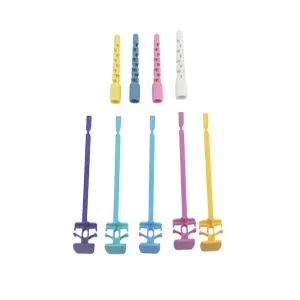
Protective casing, main button
Category: Medical equipment categoryBrowse number: 12Number:Release time: 2025-12-16 10:20:13Protective casing with a main button is a durable, ergonomically designed housing that safeguards internal components of electronic or mechanical devices while providing intuitive user control. The protective casing shields sensitive circuits, mechanisms, or sensors from dust, moisture, impact, and environmental hazards, ensuring long-term reliability. The main button, integrated into the casing, allows straightforward operation with tactile feedback, enhancing user experience and reducing operational errors. Constructed from high-quality plastics, metals, or composite materials, the casing combines strength with lightweight design. This assembly is widely used in industrial controls, medical equipment, consumer electronics, and portable devices, offering both protection and functional accessibility in demanding environments.
News
Category:
No search results found!
Case
Category:
No search results found!
Video
Category:
No search results found!
Download
Category:
No search results found!
Job
Category:
No search results found!
Featured Products
No search results found!



 WhatsApp
 Phone
Phone